The most important thing on your website
Most people think their website is fine. But it's not. There's a proven way and structure you have to follow to turn website visitors into clients.

Local SEO
Here are a couple of things to fix, that will help you massively and are the first steps to get your business in the top 3 search results.
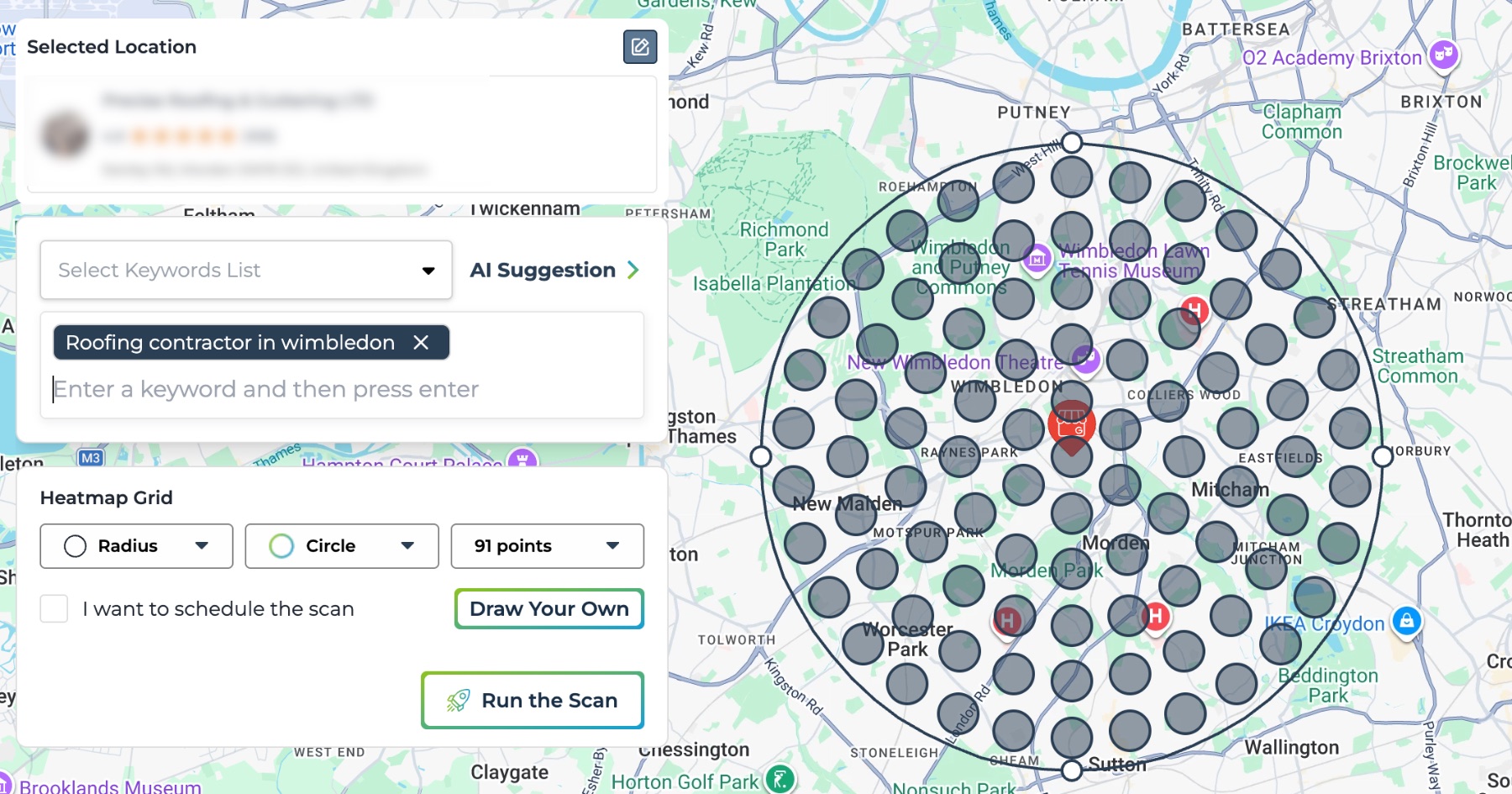
First we want to know where we are currently showing up on Google. This gives us a benchmark to see whether the stuff you’ll fix actually worked.
We use the software called Leadsnap.com. Costs some money, but you can do unlimited free trials, so it's all good. When they ask you to book a call just change the URL at the top to /login.
That's it. No need for a call, we want to know where we rank!
Go to this URL https://app.leadsnap.com/rank-tracking/new-heatmap
On the search bar, look for your business name. You’ll see something like this next.
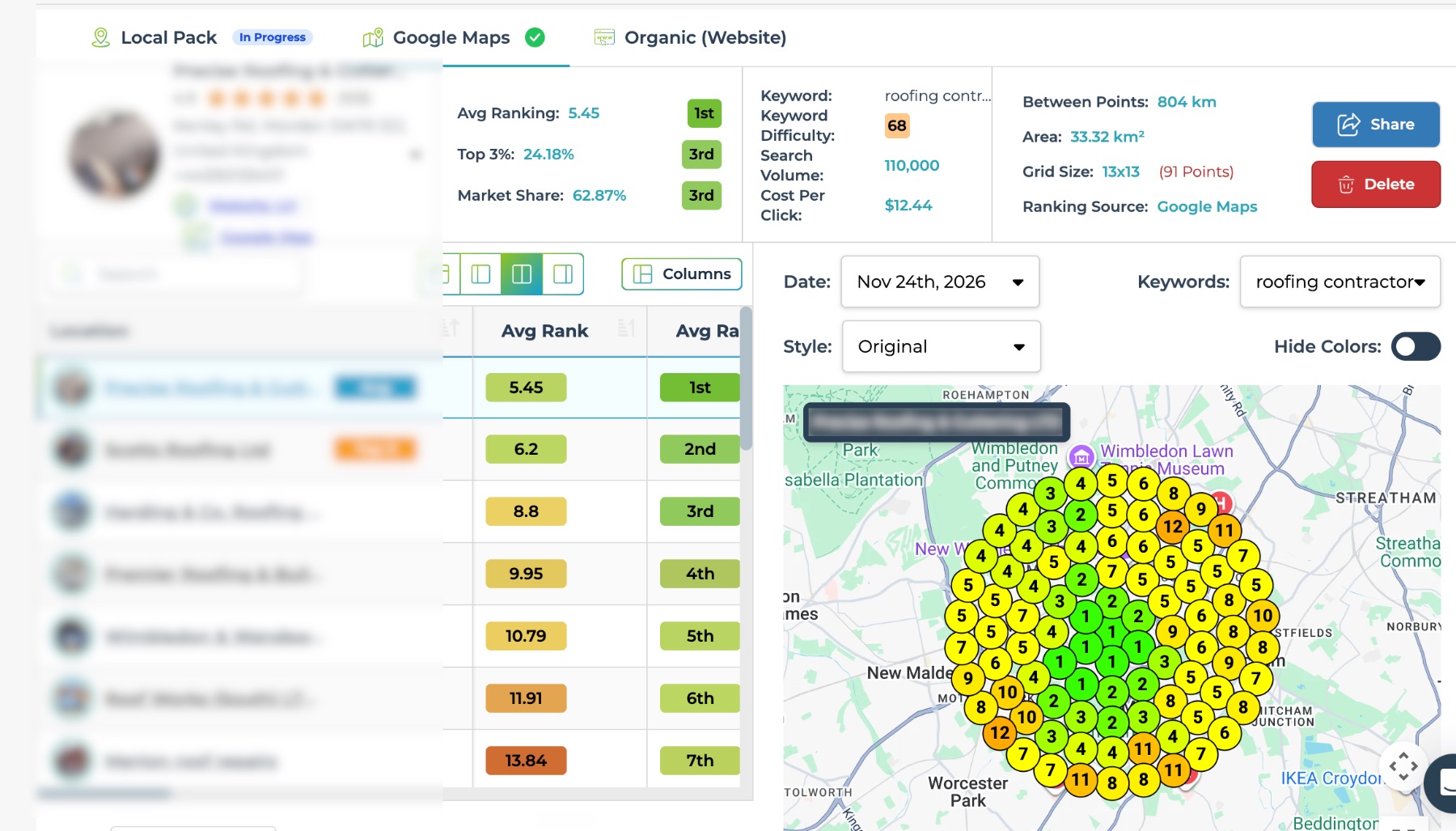
First look at your competitors reviews and photos, If your competitor has way more? That's your first fix. Get more.
Check the bottom of your website for your Name, Address, Phone number (NAP). This needs to be exactly the same as your Google Business Profile.
Change your website title tag to “Primary Category In City | Your business Name “. You can use the AI prompt below to help you. Just click on copy.
You're an expert helper and technical assistant. I want to change my title tag of my homepage to “Primary Category In City | business Name”.
Your job is first to ask me the following questions.
1. What website builder do you use?
2. What's your primary google category?
3. What city is your business located in?
4. What's your business name?
Next:
Based on my website builder, give me a step-by-step guide on how I can change my title tag. Make it as easy as possible, so a 5th grader can follow the instructions.
Inside the instructions, when you mention change your title tag to "xyz", give me the correct title tag I need to use, so I can copy and paste it.
Check how many pages your website has. So let’s say your website is skbresults.com.
Go to google.com, run site:skbresults.com as a search.
Go to the tools, and it’ll tell you how many pages are indexed. We want to have AT LEAST 30 pages indexed.
Probably more, but that depends on the competition. But bare minimum is 30.
Use this tool for service recommendations https://app.gmbeverywhere.com/release7/category-tool/category-finder.html. Fill in your category. Ask it for related services. Put them in a list. Also include all your services YOU want to add. Can also ask AI for this.
You should have a huge list now. Copy this prompt and paste it into your preferred AI.
I have a list of services that I want to paste into my Google Business Profile.
Your task:
1. Remove all exact duplicates
2. Remove all near-identical variants of the same term. Keep only ONE version of each — choose the most common or professional form, but do NOT edit or reword it beyond selecting one from the list.
3. Do NOT add, remove, combine, rephrase, or limit characters in any way.
4. Do NOT group, categorize, or format — just output the final clean list, one service per line, nothing else.
List:
[PASTE YOUR LIST HERE]
Before you run the task, ask me the following questions:
1. What's your primary Google Category?
2. What are your secondary categories?
The users answer will help you to do industry research on the services.
After you send me the list, ask me "Want me to write a description for all of them?"
If the answer is yes, run the following task.
Task: I need a service description for each item. Service description has to be 300 characters or fewer.

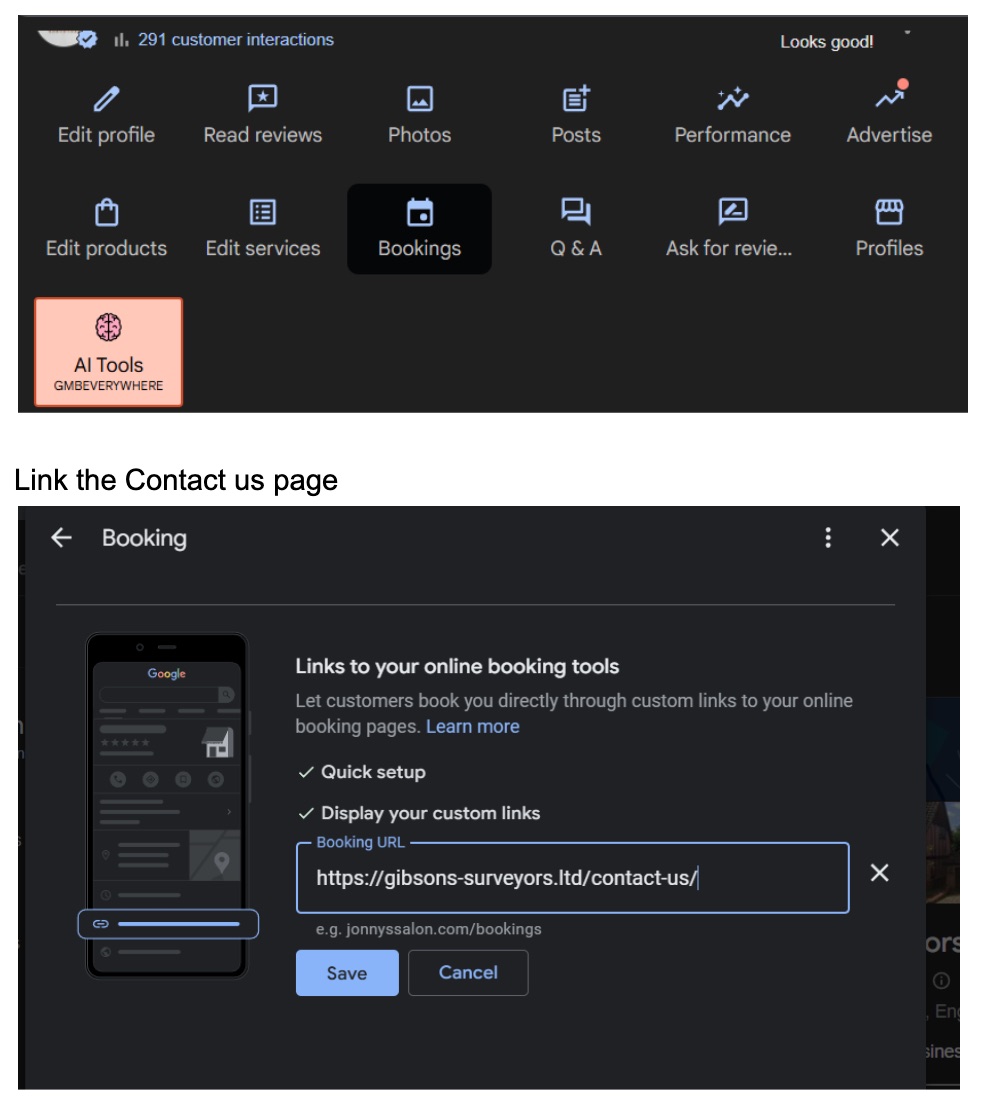
Link the contact us page on BOOKINGS, so the business gets another profile feature.
This is the first title on your website. Most use “welcome to xyz”. Do not do this. Instead, use Best + primary category + city name.
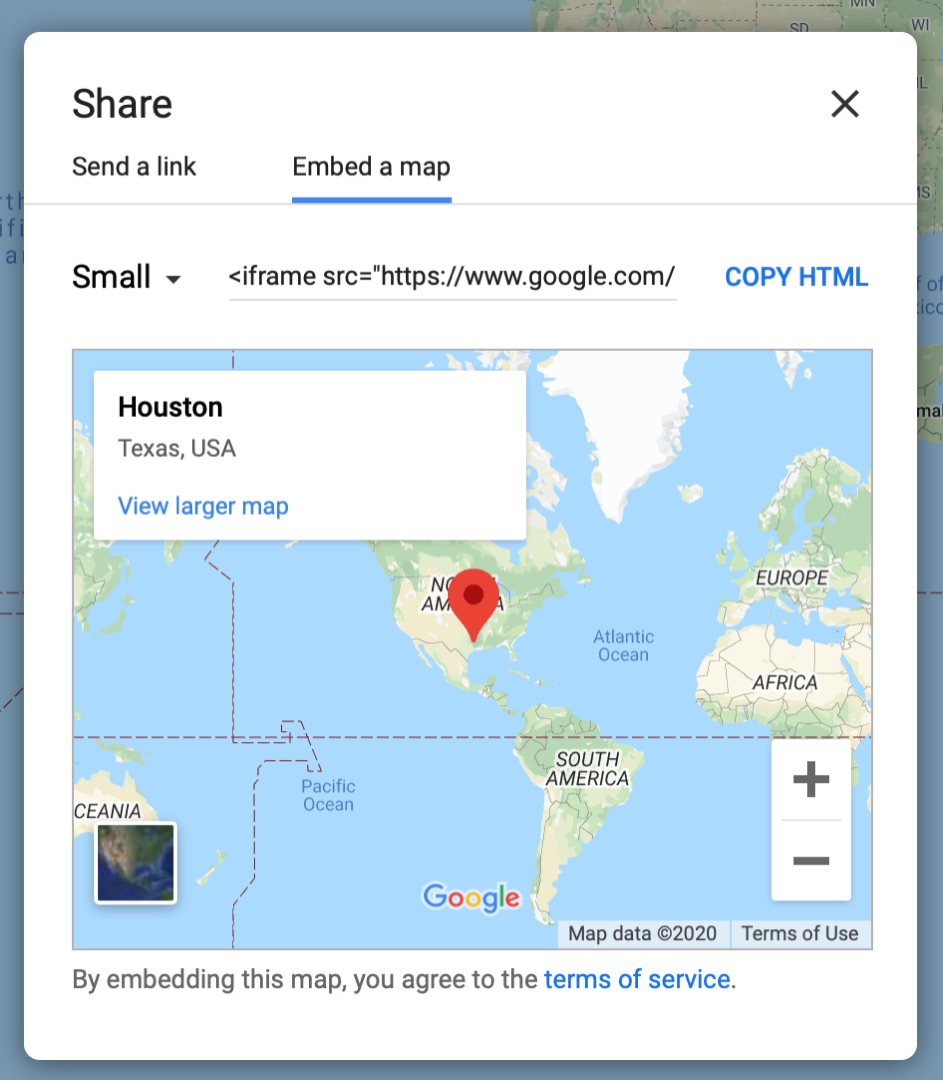
Go to Google Maps ADN look for your business. Click on share, embed a map, then on copy HTML. Paste it in the bottom of your website. Ask AI on how to do it.
We send new guides to your inbox. Free. Unsubscribe any time.

Most people think their website is fine. But it's not. There's a proven way and structure you have to follow to turn website visitors into clients.

Are you relying on inconsistent word of mouth? Are you only getting *some* referrals from one customer instead of way more? Then this is for you.